ScrapingAnt vs Octoparse is a choice between an API you integrate into your application and a visual tool that helps build and run extraction tasks. ScrapingAnt handles page retrieval, browser rendering and optional AI extraction. Octoparse offers a desktop task builder, preset templates and paid cloud execution with scheduling and exports. Octoparse also has modern API and template automation routes, so the comparison is broader than “API versus desktop.”
This detailed guide compares published plans, credit costs, cloud limits, output quality, integration work and billing conditions. It draws on official pricing and documentation checked October 5, 2026. We did not run controlled target-success, latency or uptime tests; calculated charts and examples are labeled accordingly.
Quick verdict and provider overviews
Choose ScrapingAnt when your developers already control the queue, parser and database. Its managed API can remove browser and proxy infrastructure work without replacing your application workflow. Choose Octoparse when visual task authoring, ready-made templates and scheduled cloud runs reduce the amount of code your team needs to maintain. Either can be the better value once setup and maintenance time are included.
Our web scraping tools guide compares these approaches with hosted Actor platforms and other managed APIs. Here, the decision is based on output requirements, ownership of scheduling and storage, and the exact billing unit you will consume.
| Decision point | ScrapingAnt | Octoparse |
|---|---|---|
| Core workflow | Managed API fetch/render/extract calls | Visual custom tasks, templates and cloud runs |
| Paid entry | $19/month; 100K credits | Standard $83/month; 100 tasks; up to 3 cloud processes |
| Free access | 10K credits/month; no card advertised | 10 local tasks; 10K rows/export and 50K rows/month |
| Rendering | Managed Chrome enabled by default | Built-in browser workflow with configured actions |
| Output | HTML, Markdown or optional AI JSON | Task/template fields and supported exports |
| Scheduling | Application or external integrations | Cloud scheduling on paid plans |
| API access | Native retrieval API and MCP tools | Plan-dependent task/export APIs and newer template interfaces |
| Primary variable costs | Proxy/browser mode, domain rule and AI text size | Residential traffic, CAPTCHA and paid templates |
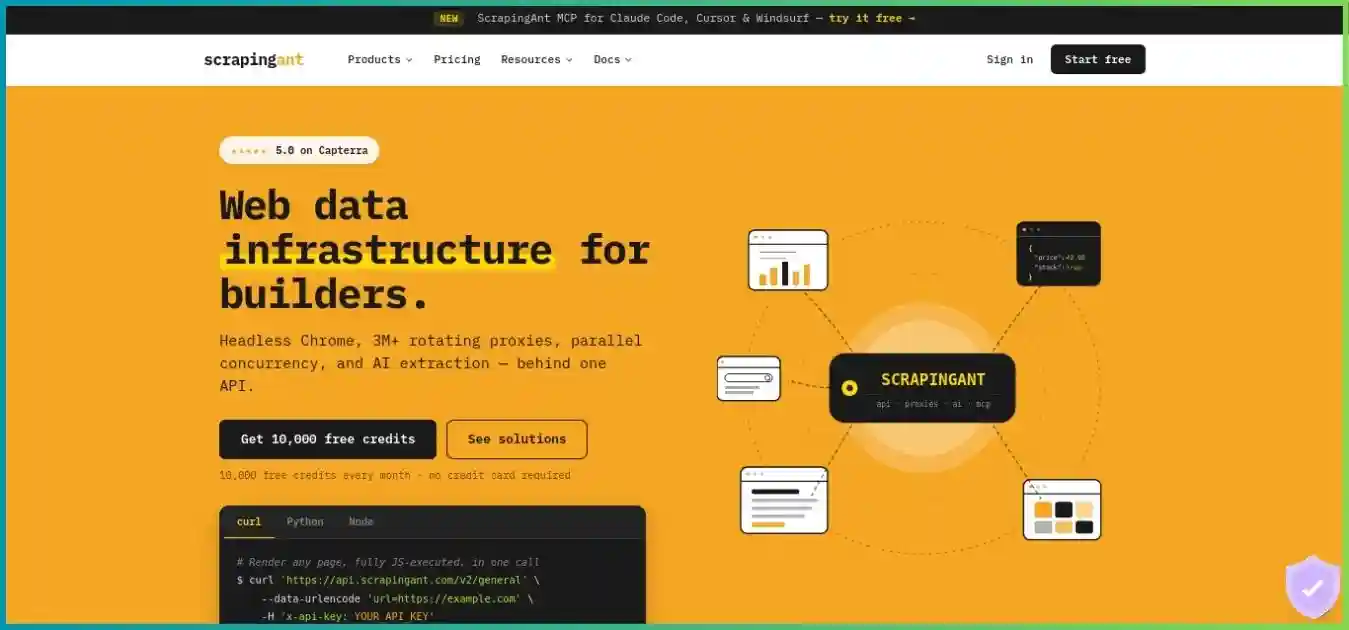
ScrapingAnt
ScrapingAnt accepts a target URL and handles retrieval through managed proxies and optional browser settings. Its API fits custom pipelines, while AI extraction can reduce parser setup for varied page structures. Your application still needs to handle discovery, job scheduling, validation and durable storage unless an external workflow supplies them.
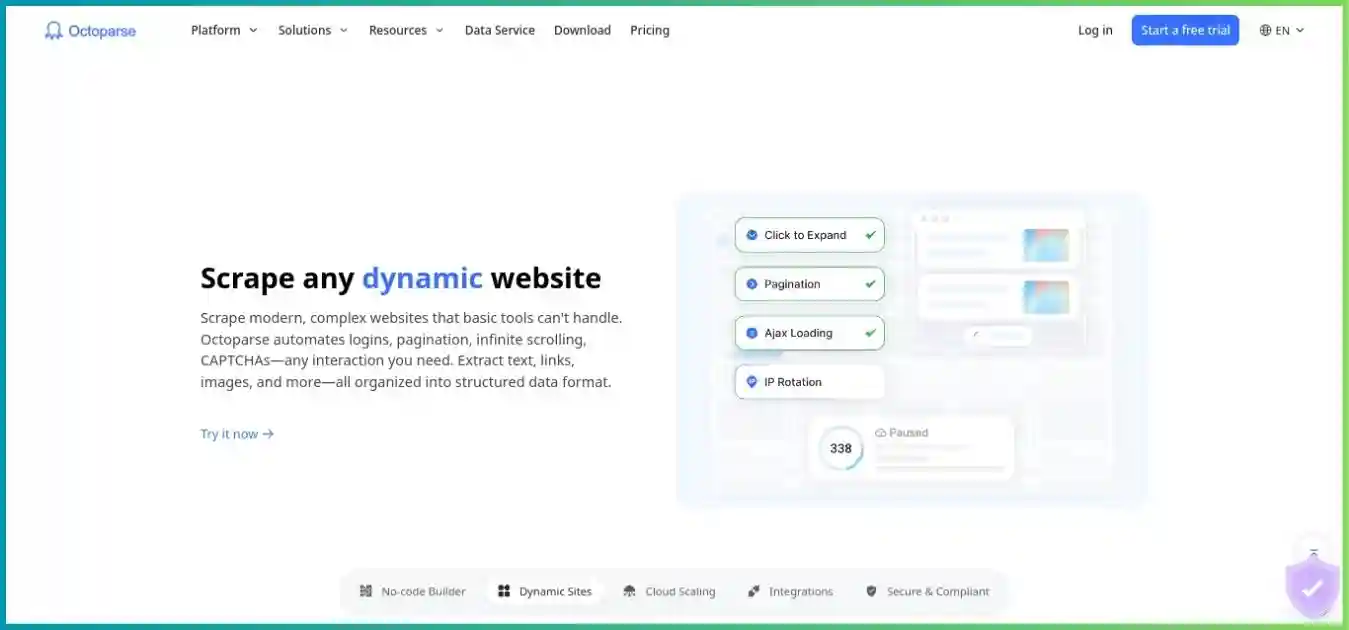
Octoparse
Octoparse builds custom extraction steps in a desktop browser interface. Users configure fields, loops, pagination and interactions rather than writing a parser from scratch. Paid cloud execution runs independently of the desktop machine, while template and API routes can support automation beyond the visual editor.
Who owns the extraction logic?
With ScrapingAnt general retrieval, your parser owns the data contract. Its AI route can describe fields without selectors, but output still needs validation and the AI step adds charges. With an Octoparse custom task, you own the visual workflow; a changed site may require updating selections or loops. Provider preset templates have fixed logic and are not user-editable, so confirm their fields and limits before relying on one.
Detailed pricing analysis and billing conditions
ScrapingAnt API subscriptions
| Plan | Monthly | Monthly credits | Concurrency | Support / additions |
|---|---|---|---|---|
| Free | $0 | 10,000 | 1 request | Self-service testing |
| Enthusiast | $19 | 100,000 | No published paid cap | Email; documentation |
| Startup | $49 | 500,000 | No published paid cap | Priority email; custom snippets |
| Business | $249 | 3,000,000 | No published paid cap | Debug sessions; custom pools; account manager |
| Business Pro | $599 | 8,000,000 | No published paid cap | Priority debug sessions; account manager |
| Custom | $699+ | 10,000,000+ | Contract-specific | Dedicated support; onboarding |
Startup lists custom snippets and expert help; Business adds debug sessions, custom pools, anti-bot customization and an account manager. Business Pro lists priority debugging, while Custom offers dedicated support and onboarding. These are published support descriptions, not tested response times or a promise that every site can be supported.
Octoparse subscriptions and cloud capacity
| Plan | Month-to-month | Annual invoice | Saved tasks | Execution capacity | Key limits / features |
|---|---|---|---|---|---|
| Free | $0 | Not applicable | 10 | Local only; 2 local runs | 10K rows/export; 50K/month |
| Standard entry | $83 | $829 | 100 | Up to 3 cloud processes* | Cloud schedules; unlimited export; Data Export API |
| Professional | $299 | $2,999 | 250 | Up to 20 cloud processes | Advanced API; cloud destinations; monitoring |
| Enterprise | Custom | Custom | 750+ advertised | 40+ advertised | Team features and negotiated support |
* Current entry Standard pricing lists up to three cloud processes. Older guides and other Standard variants list six at different prices. Confirm the exact variant instead of assuming six on the lowest offer. Enterprise figures are advertised starting quantities; the contract controls.
Octoparse advertises annual equivalents from $69 for Standard and $249 for Professional. Using the documented invoices, $829/12 is $69.08 and $2,999/12 is $249.92, rounded. Those annual equivalents are not cancellable $69 or $249 monthly subscriptions. Professional adds monitoring, selected cloud destinations, Advanced API, priority support and task-review/training features.
USD; common $0–$3,600 scale. Blue: twelve monthly payments. Green: prepaid annual invoice. Add-ons and tax excluded.
Compared with twelve monthly payments, the listed annual invoices save $167 on Standard and $589 on Professional, approximately 16.77% and 16.42%. Confirm the current checkout, account eligibility, renewal and tax before prepaying. No numeric ScrapingAnt annual discount was established from its public API plan table, so this guide does not invent one.
USD; common $0–$300 scale. Different products and included units; this chart does not compare equal data volumes.
Free plans and premium trials
ScrapingAnt advertises 10,000 recurring monthly credits without a card. Its current error reference allows one concurrent Free request and no published numeric paid cap, despite broader homepage claims. Free capacity depends on the mode: 10,000 simple datacenter responses, 1,000 rendered datacenter responses, 400 simple residential responses or 80 rendered residential responses before AI or domain-specific charges.
Octoparse Free is a local-execution plan, not a monthly cloud-time allowance. It supports ten saved tasks, two concurrent local runs, up to 10,000 rows per export and 50,000 exported rows per month. Test your target, fields and pagination there before choosing paid cloud execution. Free custom-task limits should not be confused with separate template or agent-tool promotional allowances.
Octoparse advertises a 14-day premium trial, but its trial guide describes payment-method entry and automatic paid conversion while some marketing uses no-card wording. Verify the live form, trial tier, amount and conversion date. Do not assume every premium trial is card-free or that completing a trial guarantees refund eligibility.
Renewal, refunds and plan changes
ScrapingAnt says unused subscription credits do not roll over. A paid restart can refresh credits mid-period for another payment; confirm the renewal effect. Its terms describe non-refundable payments except discretionary exceptions. The no-card free plan is useful for evaluation, but it is not a paid money-back guarantee.
Octoparse’s headline five-day refund promise is qualified by its dedicated policy: review and approval, eligible new paid or accidental-renewal windows, processing deductions and exclusions for account credits and payments following a premium trial. Cancel at least one day before renewal through the account and confirm completion; canceling only in PayPal is insufficient according to its guide. Disabling a scheduled task also does not cancel the subscription.
When upgrading Standard to Professional, Octoparse’s guide describes charging the full new-plan price and converting unused Standard value to extra Professional days. That differs from simply deducting the unused amount from today’s payment. Check the account’s quote before upgrading.
Cost models: credits, add-ons and accepted records
ScrapingAnt request modes change capacity
| Request mode | Credits | Whole responses / 100K | USD / 1K responses |
|---|---|---|---|
| Browser disabled, datacenter | 1 | 100,000 | $0.19 |
| Browser page source, datacenter | 2 | 50,000 | $0.38 |
| Rendered datacenter | 10 | 10,000 | $1.90 |
| Browser disabled, residential | 25 | 4,000 | $4.75 |
| Browser page source, residential | 50 | 2,000 | $9.50 |
| Rendered residential | 125 | 800 | $23.75 |
ScrapingAnt’s browser is enabled by default. A URL-only ordinary datacenter request usually invokes the ten-credit rendered mode. Disable browser usage for the one-credit fetch; return_page_source=true in browser mode still uses the browser and costs two datacenter credits or 50 residential credits. Its special Google-domain datacenter rule is ten credits. Record Ant-credits-cost rather than assuming one request always equals one credit.
AI extraction has an additional text-size charge
The documented AI formula is ceil((Markdown input characters + output characters) / 30) + retrieval credits. The extractor works on Markdown/text and supports described fields, typed values and nested lists. It does not infer meaning from CSS or layout tags absent from the text. Validate nulls, field names, numbers, currency and source evidence.
Fixed 600 output characters and a 10-credit rendered datacenter fetch. Formula arithmetic, not measured page sizes or provider performance.
For the assumed 9,000-character input, 600-character output and ten-credit retrieval, the total is 330 credits. A 100,000-credit Enthusiast balance funds 303 whole requests at that size, and full-utilization allocated cost is $0.0627 per request. This may still be worthwhile if it replaces substantial parser work, but it is not the ten-credit cost of retrieving the rendered page alone.
Octoparse add-ons and usage costs
| Item | Reference price | Budgeting implication |
|---|---|---|
| Residential proxy traffic | $3 / GB | Page-loading traffic and retries can increase usage |
| CAPTCHA solving | $1–$1.50 / 1K | Unsuccessful attempts can consume credits |
| Pay-per-result templates | $0.001–$3 / 1K results | Listing-specific price and limits; may be additional to subscription |
| Crawler setup service | From $399 | Separate quoted setup engagement |
| Managed data service | From $599 | Separate service scope and quote |
Unlimited paid data export is not unlimited free residential traffic, templates or CAPTCHA work. A saved task is a reusable extraction configuration, not one page and not a monthly record quota. One page response can contain multiple records, and one accepted record can require multiple page loads. Compare the output your business needs rather than forcing unlike billing units into a single price-per-request chart.
Illustrative Octoparse monthly budget
A hypothetical Standard workload
Assume month-to-month Standard at $83, 10 GB of residential traffic at $3/GB and 1,000 billed CAPTCHA attempts at the $1/1K reference rate.
The selected components total $83 + $30 + $1 = $114. At the $1.50 CAPTCHA rate, the total becomes $114.50. Templates, setup, labor and tax are excluded.
This is a billing illustration, not an observed invoice or an equal-target comparison with ScrapingAnt. Replace the assumed traffic and billed attempts with your pilot’s usage.
Hypothetical cost shares; not a measured customer spending distribution.
- Subscription: $83 (72.8%)
- Residential: $30 (26.3%)
- CAPTCHA: $1 (0.9%)
Total cost per accepted record
For either service, divide provider spend plus engineering, operator and storage costs by validated accepted records. Subscription utilization matters: a batch of 1,000 ordinary rendered datacenter ScrapingAnt responses uses 10,000 credits, allocating $1.90 from a fully used Enthusiast balance. If it is your only monthly usage, you still pay $19. A parser that rejects half the output makes either cost-per-accepted-record figure worse.
Octoparse can save developer time through visual authoring, while ScrapingAnt can fit a pipeline that already exists. Include time spent repairing selectors, verifying output, configuring schedules and handling retries. The lower subscription commitment is useful context, but it does not establish which complete workflow is cheaper.
Feature-by-feature comparison
| Capability | ScrapingAnt | Octoparse |
|---|---|---|
| Custom authoring | Code-owned requests and parser, or AI extraction fields | Desktop visual fields, loops, pagination, clicks and conditions |
| JavaScript pages | Managed Chrome, waits, custom JS and resource blocking | Built-in browser steps and configured waits/interactions |
| Ready-made extraction | AI field descriptions; no equivalent general visual template gallery verified | Preset templates with fixed logic and listing-specific fields |
| Local/cloud workflow | Managed remote API; client can run anywhere compatible | Free local runs; paid cloud execution independent of PC |
| Scheduling | Application or external workflow | Paid cloud schedules |
| Export | Your parser/storage; HTML, Markdown or AI JSON routes | Supported file formats, auto export and selected cloud destinations |
| API integration | REST retrieval, usage and MCP tools | Plan-dependent task/export API plus newer template APIs/CLI/MCP |
| Support ownership | Developer maintains downstream collection logic | Operator maintains custom tasks; provider manages preset logic |
Visual tasks versus browser API controls
Octoparse’s custom task builder lets an operator select repeated elements and configure navigation, loops, waits and extraction fields. That is useful when the page structure is visible and someone needs to understand or maintain the workflow without editing code. Visual configuration still requires careful testing for empty values, dynamic loading and incorrect loop boundaries.
ScrapingAnt supports selector waits, headers, cookies, custom JavaScript and resource blocking. Those controls are useful inside a developer-managed pipeline, but they do not automatically create the pagination or data model. Avoid indiscriminate resource blocking: removing scripts or network calls can remove the content you need and make a cheap response unusable.
Preset templates are not custom editable tasks
Octoparse provider presets accept supported parameters, but users cannot edit their underlying extraction logic. OTD-style templates may support local/cloud execution, while JavaScript/Python presets can be cloud-only and have daily caps. If the supplied fields or navigation are wrong for your project, build a custom task or request provider help rather than assuming you can alter the preset.
ScrapingAnt’s AI extractor offers flexible field descriptions for varied content, but extraction accuracy and character-based fees need evaluation. A deterministic parser can be preferable for stable templates and strict contracts. In either approach, sample pagination, variants, locale, sponsored entries and missing pages before accepting a result schema.
Cloud schedules, integrations and API access
Octoparse Standard adds cloud scheduling and data retrieval/export API access. Professional adds selected cloud destinations such as Google Sheets, Google Drive, Dropbox and S3, along with Advanced API capabilities. Older task APIs, newer template APIs and agent tools have different entitlements; not every endpoint is included in every tier.
Its newer API, CLI and MCP interfaces can discover and execute supported templates, so “Octoparse has no API” is outdated. Custom visual task authoring remains a desktop workflow. The provider announces a planned legacy API transition in Q1 2027; confirm migration timing and supported endpoints before relying on old integrations.
ScrapingAnt documents MCP HTML/Markdown/text tools and integrations with Make, n8n and GitHub Actions. These spend the same API credits and can supply external scheduling, but they do not establish equivalent native durable dataset storage. Confirm integration access and node compatibility on your own deployment.
Proxy control and country coverage
ScrapingAnt’s API proxy documentation lists 24 selectable country values. Its standalone residential proxy coverage is a separate product and should not be transferred to the API comparison. Mobile-pool access is documented as by request, and each API call is documented as using a new IP; do not assume standalone sticky-session features apply unchanged.
Octoparse’s current own-proxy setup guide limits customer-suppliedHTTP proxies to local runs and says username/password proxy authentication is unsupported. Cloud runs use its built-in routing. Login, editing and execution proxy settings are separate. Check returned country, language and currency rather than relying on a broad coverage or anti-blocking claim.
Performance comparison: test the workflow fairly
We did not measure comparable provider success, uptime or speed. The relevant metric is time and total cost to accepted records from the same targets. A managed API response and a complete Octoparse task are different stages of work: one may still need discovery, parsing and persistence, while the other may already include those steps.
Concurrency does not prove throughput
ScrapingAnt’s current error reference permits one Free request and no published numeric paid cap. That does not promise unlimited sustained processing. Octoparse’s current entry cloud limits are up to three Standard processes and up to 20 Professional processes; tasks, browser requests and API slots are unlike units and should not be ranked as if they were identical.
Octoparse Boost Mode depends on splittable loops, such as URL or text lists. A task that cannot be split does not automatically use every available process. Target rate limits, rendering, waits and proxy availability constrain both systems. Test your actual configuration before estimating daily output.
Pilot procedure
Define the same records
Use identical targets, fields, pages, locale and freshness rules. Include difficult templates and known missing pages.
Record the implementation
Document ScrapingAnt mode/parser or Octoparse task/template settings. Include waits, proxies, AI steps, retries and export configuration.
Measure the whole job
Include setup, queue delay, fetching, parsing, validation and delivery. Report p50/p95 timing and operator intervention separately.
Validate output
Check required fields, currency, variants, duplicates and timestamps. Treat block pages and partial rows as failures of acceptance.
Reconcile billing
Inspect credit headers or task traffic/template/CAPTCHA consumption. Include utilization, subscription minimums and maintenance effort.
Failure handling and retries
ScrapingAnt says failed/error requests cost zero, but a successful response rejected by your parser is not automatically a credit reversal. Octoparse residential traffic and CAPTCHA attempts can still consume credits during unsuccessful work. Record the cause and spend rather than treating all failures as free.
Retry transient errors with bounded backoff and investigate persistent blocked content or invalid settings. The MDN explanation of HTTP 429 describes rate limiting and the optional Retry-After header. ScrapingAnt’s documented Free concurrency error is 409, so error handling must also inspect provider-specific status and messages.
Best use cases for each tool
Existing developer pipeline
Start with ScrapingAnt
Useful when your queue, parser and database already exist. Explicitly configure browser/proxy modes and record actual credit costs.
Operator-led recurring extraction
Shortlist Octoparse
Visual task authoring and paid cloud schedules can reduce custom code. Test fields, pagination and maintenance before prepaying.
Exploratory AI fields or Markdown
Evaluate ScrapingAnt
Prompt-based JSON and Markdown can help varied-content projects. Budget AI text-size charges and validate fields against the source.
Template-based ecommerce or search data
Test the matching Octoparse preset
A maintained preset can shorten setup when its schema matches your use case. Verify listing fees, daily caps, locale and edit restrictions.
Research, price monitoring and lead datasets
For a one-off structured table, Octoparse Free may be enough if local extraction and export limits fit. For repeated price collection inside an existing application, ScrapingAnt can fit the developer’s normal deployment and validation flow. Neither removes the need to test field semantics, source permissions and change handling.
Teams collecting many unrelated sources should budget ongoing maintenance. A visual workflow can be easier for an operator to repair; a code parser may be easier to version and test. ScrapingAnt AI extraction offers another option, but more flexible parsing can add recurring processing costs and unpredictable missing-field behavior.
For another managed API comparison, read ScraperAPI vs ScrapingAnt. For visual building versus packaged retrieval workflows, see ScraperAPI vs Octoparse. A hosted program platform is another approach: ScrapingAnt vs Apify and Octoparse vs Apify explain the workflow tradeoffs.
Setup, maintenance and data handling
A practical first-run checklist
With ScrapingAnt, begin with a small sample, explicit browser/proxy settings and server-side credentials. Use the supported x-api-key header, encode target URLs safely and avoid logging secrets. Inspect content type and charged credits before choosing your parser. Its documented timeout range is five to 60 seconds; allow the outer client enough time to receive the completed response.
With Octoparse, use the Windows/macOS visual builder for custom task authoring. Web template and API access are distinct from full desktop editing, so do not assume a browser-only custom builder on Linux or Chromebook. Preview repeated fields, pagination and waits locally, then run a small cloud sample if your plan permits it. Verify that the resulting rows preserve variants and do not duplicate entries.
Storage, export and expiration
ScrapingAnt output needs customer-managed durable persistence; an API response is not a backup. Record source URL, collection time, mode and validation status with accepted data. Keep only sanitized failure samples where possible, and avoid retaining unnecessary private page content.
Octoparse’s expiry guide says cloud data remains stored for three months after premium expiration, but cannot be exported until renewal. Export before the subscription ends instead of assuming retention means free access. Confirm current retention for governed data and store required results independently of the service.
Security and responsible collection
ScrapingAnt Proxy Mode uses the same API credits, but its documentation instructs clients to disable SSL verification. Review that compatibility requirement before production; avoid blanket verification changes across an application when direct HTTPS API calls suffice. For Octoparse, handle login cookies, account access and exported files carefully, especially in shared workflows.
Align collection with permission, applicable terms, privacy requirements and reasonable crawl rates. The Robots Exclusion Protocol specification, RFC 9309 explains robots.txt interpretation; those directives are not access authorization. Anti-bot handling is a retrieval capability, not permission to collect every accessible dataset.
For production or sensitive projects, confirm provider logging, retention, deletion and data-processing terms. This comparison does not claim a security or proxy-sourcing audit. Test task changes against saved representative samples and watch record counts and missing fields so a site redesign is detected early.
Detailed pros and cons
ScrapingAnt
Advantages
- Low paid entry and recurring 10K free credits
- Fits existing developer-owned queues and storage
- Managed Chrome controls and Markdown/AI extraction
- Explicit mode costs and per-response credit header
Tradeoffs
- Browser default and residential multipliers change economics
- AI extraction adds content-size charges
- Scheduling, discovery and durable storage need an owner
- Free one-request concurrency differs from broad marketing
Octoparse
Advantages
- Visual custom authoring reduces parser coding
- Free local tier for evaluation and small projects
- Paid cloud schedules, auto exports and templates
- Modern APIs and plan-dependent automation routes
Tradeoffs
- Higher paid cloud entry commitment
- Presets are not user-editable and may carry limits/fees
- Proxy/CAPTCHA/template charges can add to subscription
- Refund and post-expiration export conditions need review
Final verdict: match the tool to who maintains the workflow
ScrapingAnt is the practical starting point for a developer who already owns the collection pipeline. Managed retrieval, flexible browser controls and extraction endpoints can fit the existing stack. Confirm actual mode costs, AI charges and target acceptance before forecasting large volumes.
Octoparse is the stronger fit when visual task building and scheduled cloud extraction remove meaningful code and operations work. Validate the task or preset, exact cloud tier, integration entitlement and add-on budget. The free local tier is a useful first test; annual billing should follow a successful workflow pilot.
For another visual-builder versus managed-API comparison, Octoparse vs Scrape.do covers a different request-cost model. Choose based on accepted records and maintenance effort rather than a universal provider score or headline subscription price.
Frequently asked questions
How we compared these tools
We reviewed official pricing, request-cost documentation, plan and template guides, API documentation, trial/refund information and storage/export rules checked October 5, 2026. Charts show published figures or explicitly hypothetical calculations. Homepage screenshots are illustrative. We did not buy subscriptions, verify authenticated checkout, test live premium entitlements, audit security or measure speed and target success. Recommendations prioritize workflow ownership, output quality, billing clarity and maintenance effort.
Test a complete extraction workflow
Compare validated records, actual spend and maintenance effort before committing to a recurring plan.