ScrapingAnt vs Apify is primarily a choice about how much of your scraping workflow you want the service to own. ScrapingAnt retrieves pages, renders JavaScript and extracts content through a managed API. Apify hosts reusable programs called Actors, along with scheduling, request queues, datasets and integrations. Both have free access and paid entry at $19, but an API credit allowance and a prepaid platform-usage balance measure different things.
Quick verdict: a retrieval API or a hosted workflow?
Choose ScrapingAnt when your application already owns the queue, parser and storage, and you need reliable managed retrieval to plug into it. Its request-mode credit table makes ordinary API usage straightforward to estimate, and its Markdown and AI extraction endpoints can reduce parsing work. You still need to validate output and arrange recurring jobs and durable results.
Choose Apify when you want a ready-made Actor or a place to run the complete collection program. Its built-in schedules, datasets, request queues and API can reduce the infrastructure you maintain. Actor pricing, quality and maintenance are listing-specific, so evaluate the exact tool rather than treating the entire marketplace as a single scraper.
The web scraping tools guide compares these approaches with no-code builders and other APIs. This article focuses on published pricing and documented features checked October 5, 2026. It does not claim controlled speed, uptime or target-success results.
| Decision point | ScrapingAnt | Apify |
|---|---|---|
| Primary product | Managed fetching, browser rendering and extraction API | Hosted Actor execution and workflow platform |
| Paid entry | $19/month with 100K API credits | $19/month with $19 prepaid usage, plus excess usage |
| Free access | 10K credits/month; no card advertised | $5 platform usage/month; no card advertised |
| Extraction | Custom parser or prompt-described AI JSON | Actor-specific output or your own code |
| Scheduling | Customer application or external integrations | Native Actor/task schedules |
| Storage | Customer-managed durable results | Datasets, key-value stores and request queues |
| Concurrency | Paid no published cap; Free one request per error reference | Plan-limited concurrent Actor runs; not HTTP request slots |
| Cost drivers | Retrieval mode, domain rule and AI text size | Actor events or resources, proxies, transfer and storage |
Provider overviews and homepage previews
ScrapingAnt
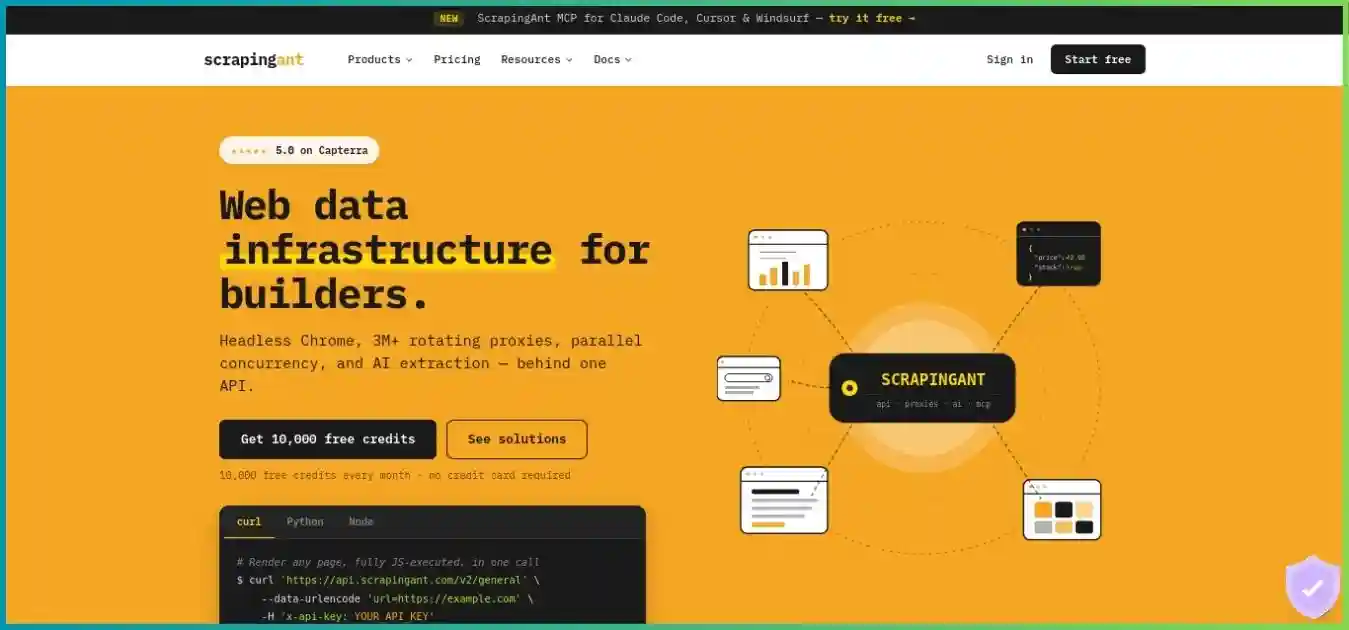
ScrapingAnt abstracts proxy routing and browser operation behind an API. It works well for developers who want to send a URL and receive content without maintaining a browser fleet. Its AI extractor is a separate content-processing step with character-based charges, and its standalone bandwidth-priced proxies are separate from API credits.
Apify
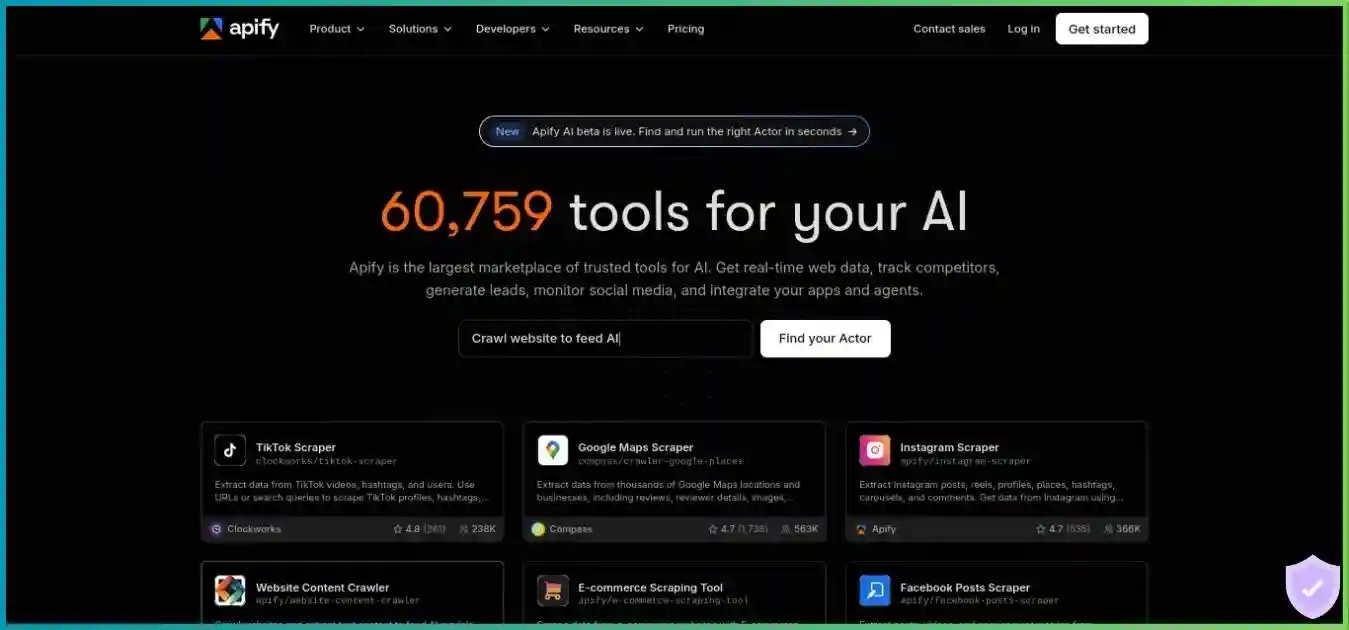
Apify hosts programs that can scrape, transform data and automate other tasks. An Actor can be run from a form, saved as a task, scheduled or started through an API. Its Store advertises 80,000+ web-data and automation tools, a provider-reported count that includes more than scrapers and does not establish quality or target coverage.
Where the responsibilities sit
With ScrapingAnt, you typically send URLs from your application, parse or extract the response, validate records and write to your database. With Apify, the Actor can own URL discovery, retries, parsing and dataset writes, while your application starts runs and consumes results. Either model can be customized, but the default responsibility split affects engineering effort and total cost.
Apify is not automatically a no-code solution for every site: a suitable maintained Actor may provide a form-driven experience, while a custom source can require programming. ScrapingAnt’s AI extractor can reduce selector work, but it does not supply an entire discovery, scheduling and storage platform merely because the output is JSON.
Pricing comparison: subscriptions and included usage
Read each allowance in its own unit. ScrapingAnt sells monthly API credits that vary with request settings. Apify includes a monetary usage balance that can fund Actor charges and platform resources. Matching plan names or subscription prices does not create an equivalent number of pages or accepted records.
ScrapingAnt Web Scraping API plans
| Plan | Monthly | API credits | Concurrency | Support / additions |
|---|---|---|---|---|
| Free | $0 | 10,000 | 1 request | Self-service testing |
| Enthusiast | $19 | 100,000 | No published paid cap | Email; documentation |
| Startup | $49 | 500,000 | No published paid cap | Priority email; custom snippets |
| Business | $249 | 3,000,000 | No published paid cap | Debug sessions; custom pools; account manager |
| Business Pro | $599 | 8,000,000 | No published paid cap | Priority debug sessions; account manager |
| Custom | $699+ | 10,000,000+ | Contract-specific | Dedicated support; onboarding |
Startup lists custom code snippets and expert assistance. Business adds debug sessions, custom proxy pools, anti-bot customization and an account manager; Business Pro lists priority debug sessions. Those are support descriptions, not measured response times or guarantees for every target. Custom scope should be agreed in writing.
Apify platform plans
| Plan | Monthly minimum | Prepaid usage | USD / CU | Actor RAM pool | Concurrent runs | Support |
|---|---|---|---|---|---|---|
| Free | $0 | $5/month | $0.20 | 16 GB | 5 | Community |
| Starter | $19 + usage overage | $19/month | $0.20 | 64 GB* | 32 | Chat; Bronze Store discount |
| Scale | $199 + usage overage | $199/month | $0.16 | 256 GB | 128 | Priority chat; Silver discount |
| Business | $999 + usage overage | $999/month | $0.13 | 512 GB | 256 | Account manager; Gold discount |
| Enterprise | Custom | Contract-specific | Custom | Custom | Custom | Negotiated support/SLA |
* Current pricing lists 64 GB for Starter, while an older subscription-help paragraph still mentions 32 GB. Confirm the resource limit shown for your account. RAM is a platform allocation limit, not memory promised to every simultaneous run. Enterprise quantities and SLA terms are negotiated.
USD; shared $0–$1,000 scale. These are different products and allowances; Apify can incur usage overage.
Free access and realistic pilot size
ScrapingAnt’s 10,000-credit free allowance theoretically covers 10,000 simple datacenter requests, 1,000 rendered datacenter responses, 400 simple residential responses or 80 rendered residential responses. AI and special-domain charges reduce those quantities. Its Free plan permits one concurrent request according to the error reference, despite the homepage’s broader all-plan no-cap language.
Apify Free supplies $5 monthly usage, 16 GB total Actor RAM and up to five simultaneous Actor runs. The number of records depends on the selected Actor’s charging model and resource use. At $0.20/CU, $5 would fund 25 CU if spent entirely on compute, but proxy, storage and Actor event charges also draw on that allowance. Free Apify Proxy access is limited to use within the platform.
Annual billing, rollover and cancellation
Apify advertises a 10% annual-billing discount; its help guidance says annual prepaid usage can be consumed within the annual billing period. Monthly usage expires without rollover. ScrapingAnt also says unused credits do not transfer to the next subscription period, and its public plan table did not establish a numeric annual discount. Confirm invoice totals, allocation timing and renewal conditions for your chosen account.
ScrapingAnt says you can restart a paid plan mid-period for another payment and refresh credits immediately. Its terms describe recurring subscriptions and non-refundable payments except discretionary exceptions; the no-card free offer is not a paid refund guarantee. For Apify, confirm cancellation, any refund eligibility, ongoing resource charges and Actor-specific terms before purchase. Disabling a schedule and changing a subscription are separate actions.
Cost models: request credits versus Actor usage
ScrapingAnt retrieval modes
Shared 0–125 credit scale. Ordinary-domain retrieval only; Google datacenter rule and AI charges excluded. DC means datacenter.
| Mode | Credits / response | Theoretical responses | USD / 1K responses |
|---|---|---|---|
| Browser disabled, datacenter | 1 | 100,000 | $0.19 |
| Browser page source, datacenter | 2 | 50,000 | $0.38 |
| Rendered datacenter | 10 | 10,000 | $1.90 |
| Browser disabled, residential | 25 | 4,000 | $4.75 |
| Browser page source, residential | 50 | 2,000 | $9.50 |
| Rendered residential | 125 | 800 | $23.75 |
ScrapingAnt enables the browser by default, so a normal URL-only datacenter call ordinarily consumes ten credits, not one. Disable browser usage explicitly for simple retrieval. In browser mode, return_page_source=true skips JavaScript execution but still costs two datacenter credits or 50 residential credits. Any Google-domain datacenter request is listed at ten credits. Inspect Ant-credits-cost to reconcile the actual charge.
AI extraction adds text processing
ScrapingAnt’s documented AI formula is ceil((Markdown input characters + output characters) / 30) + retrieval credits. A 9,000-character Markdown input, 600-character output and ten-credit retrieval total 330 credits. On a fully used Enthusiast allocation, that assigns $0.0627 per extraction; 100,000 credits fund 303 whole requests at that assumed size. It is a calculated example, not a measured average page size.
The extractor operates on Markdown/text, not CSS styles or raw layout tags. It supports described fields, typed values and nested structures, but output still needs validation. Account for missing values, currency, units and duplicates. A prompt-based parser can reduce development effort while increasing per-record charges, so measure both parts of the tradeoff.
Apify Actor pricing: read the specific listing
Apify currently documents pay-per-event and pay-per-usage models. In pay-per-event, the developer defines billable events such as a run start or returned result. Most include platform resource usage, but some charge resources separately. In pay-per-usage, there is no additional developer fee and you pay for the consumed platform resources. Do not automatically add compute twice when the Actor’s event price includes it.
Post-run dataset operations can still create platform usage. Proxy bandwidth, runtime, allocated memory, storage and transfer can also matter. A failed or empty run is not universally free merely because it returned no accepted records; the Actor’s event definition and resource consumption determine charges.
Apify compute and proxy costs
Calculated example at a fixed 2 GB memory allocation and $0.20/CU. Excludes proxies, storage, transfer and Actor event fees; this is not a speed benchmark.
| Resource | Free / Starter | Scale | Business |
|---|---|---|---|
| Compute unit | $0.20 | $0.16 | $0.13 |
| Residential proxy / GB | $8 | $7.50 | $7 |
| Google SERP proxy / 1K | $2.50 | $2 | $1.70 |
| Unblocker / 1K requests | $1.50 | $1.25 | $1 |
| External transfer / GB | $0.20 | $0.19 | $0.18 |
| Dataset / 1K writes | $0.005 | $0.0045 | $0.004 |
| Dataset / 1K GB-hours | $1 | $0.90 | $0.80 |
One CU represents 1 GB of allocated RAM for one hour. A 2 GB run lasting 30 minutes therefore uses one CU, or $0.20 on Starter. Allocating more memory changes that calculation; it may shorten execution for some workloads, but that requires testing. The compute-only line above deliberately excludes proxy and storage charges.
An illustrative Apify run budget
| Component | Calculation | Cost |
|---|---|---|
| Compute | 2 GB × 0.5 hour × $0.20 | $0.20 |
| Residential proxy | 0.25 GB × $8 | $2.00 |
| External transfer | 0.10 GB × $0.20 | $0.02 |
| Dataset writes | 10K billable operations × $0.005 / 1K | $0.05 |
| Total | Selected components only | $2.27 |
Share of the hypothetical $2.27 run above; not an observed customer spending distribution.
- Proxy: $2.00 (88.1%)
- Compute: $0.20 (8.8%)
- Writes: $0.05 (2.2%)
- Transfer: $0.02 (0.9%)
Thirty such runs total $68.10 in selected usage. Under the stated Starter assumptions, the $19 subscription already funds $19 of that usage, leaving $49.10 excess. Do not add $19 to the full $68.10 again. If your usage is only $2.27 for the month, the paid-plan minimum is still $19. This is not a ScrapingAnt-equivalent workload or a checkout invoice.
Compare total cost per accepted record
For either provider, divide total monthly provider spend plus engineering and storage costs by accepted records. Record completeness, freshness, locale and duplicates affect that denominator. Allocating a fraction of a fully used credit balance is useful for planning, but a lightly used subscription costs more per record. Apify event counts, dataset write operations and accepted records are also distinct quantities.
Feature analysis: extraction, automation and storage
| Capability | ScrapingAnt | Apify |
|---|---|---|
| Browser operation | Managed Chrome, selector waits, custom JS and resource blocking | Actor code selects browser or HTTP client and resource configuration |
| Custom data fields | Your parser or extract_properties AI JSON | Actor-specific schema, custom code or chosen extraction Actor |
| Discovery/pagination | Application-managed | Actor-managed, often using a request queue |
| Scheduling | External scheduler or integrations | Native cron/timezone Actor/task schedules |
| Result storage | Customer-owned persistence | Datasets and key-value stores with retention and usage rules |
| Developer extensibility | Customize requests and downstream processing | Build and host JavaScript/Python Actors |
| Delivery | Immediate API response; workflow supplied by customer | Run API, datasets, webhooks and integrations |
| Marketplace | No equivalent general Actor marketplace verified | Provider-reported 80K+ web-data and automation tools |
Rendering and response quality
ScrapingAnt’s selector waits and custom JavaScript can help load dynamic fields before returning content. Resource blocking may reduce work but can remove the scripts or calls needed to populate a page. Apify offers similar flexibility through the Actor’s implementation, but a Store tool may expose only a subset of settings. Verify the actual input schema before assuming you can change a wait condition or proxy mode.
JSON formatting does not prove accurate extraction. ScrapingAnt AI output needs schema checks and source validation. Apify Actor output likewise needs testing for variants, locale, missing pages and stale records. A tool that returns fewer fields than you require can be more expensive in practice even if it produces results quickly.
Schedules, webhooks and repeatability
Apify lets you save an Actor configuration as a task, schedule runs and attach webhooks for follow-up processing. Run and inspect the task before scheduling it. Pin the relevant Actor version where supported, use explicit inputs and prevent unintended overlapping jobs. Scheduled startup timing can vary under load; do not interpret a schedule as an exact-time execution guarantee.
ScrapingAnt can be called from Make, n8n, GitHub Actions or your application’s scheduler. Those integrations supply orchestration, while the API supplies retrieval or extraction. Confirm community-node availability and integration access on your deployment. Durable storage, deduplication and failed-job recovery still need an owner.
Storage is useful, but it has costs and retention rules
Apify datasets hold structured records, key-value stores hold arbitrary objects, and request queues coordinate URLs and work. Storage time and read/write operations may be billed. Named objects are exempt from automatic retention deletion, while unnamed objects follow plan-specific rules; this does not make named storage free or an independent backup. Export important records to your own destination.
ScrapingAnt does not provide a verified equivalent native durable dataset and queue platform in this comparison. That is a manageable tradeoff when you already have a database and worker system. It is additional setup work when you are starting a recurring collection project from scratch.
Proxy coverage is product-specific
ScrapingAnt’s API proxy reference lists 24 country values, while its standalone residential proxy product advertises broader coverage. Do not transfer that standalone country count or sticky-session behavior to API requests. Apify proxy routing and availability depend on the chosen proxy product and Actor settings. Test the actual exit route, locale and returned currency for regional monitoring.
Performance and scaling: compare the complete workload
There is no controlled provider-speed or success-rate winner in this article. Apify hosts many independently implemented Actors, and ScrapingAnt returns content that your downstream code must still process. Compare end-to-end time to validated records, including discovery, retries, rendering, parsing and delivery. Platform availability and target acceptance are separate metrics.
API concurrency and Actor concurrency are different
ScrapingAnt’s error reference says paid plans have no concurrency limit and Free allows one request, returning 409 when exceeded. No numeric paid cap does not promise unlimited sustained throughput. Apify publishes concurrent Actor-run limits of five, 32, 128 and 256 across Free, Starter, Scale and Business. Each Actor can run its own internal request pool, constrained by code, RAM, target limits and proxy capacity.
It would therefore be misleading to chart “unlimited API calls” against “32 Actors” as equivalent units. Increase worker counts gradually, observe queue delay and resource pressure, and cap retries. For Apify, inspect memory allocation and run duration; for ScrapingAnt, inspect response timing and actual mode charges.
A fair pilot protocol
Define the same output
Select identical sources, fields, pagination, locale and freshness rules. Include missing pages, dynamic content and difficult templates.
Document the implementation
Record the ScrapingAnt mode and parser, or exact Apify Actor/version/input. Note browser settings, proxy product, AI steps and retries.
Use comparable load
Control client region, test windows, deadlines and work volume. Measure startup time and p50/p95 end-to-end completion separately.
Validate useful records
Require the correct fields, currency, timestamps and identity. Remove duplicates and distinguish parser failures from provider errors.
Inspect the full invoice basis
Reconcile ScrapingAnt credit headers or Apify event/resource usage with accepted records. Include subscription utilization and engineering effort.
Billing limits and failure behavior
ScrapingAnt says failed/error requests consume zero credits, but a successful response rejected by your parser is not automatically free. Apify resource-based execution can incur charges even when the run returns poor or empty data; event billing follows the listing’s definition. Keep sanitized failure examples and monitor actual usage instead of equating accepted records with billable events.
Apify platform spending controls are useful, but help guidance describes estimated stop behavior and possible deviations of up to 10%. Do not treat every configured budget or item count as a universal hard invoice cap. ScrapingAnt’s paid plan restart is another payment, and its AI costs can consume a balance quickly. Use alerts and verify account limits before unattended jobs.
Bound retries and back off on rate limits. The MDN explanation of HTTP 429 describes rate limiting and the optional Retry-After header. Distinguish platform errors from a target site’s own rate limits, and handle ScrapingAnt’s documented Free 409 concurrency error separately.
Use cases and practical applications
Custom application fetching
Start with ScrapingAnt
A useful fit when your workers, database and parser already exist. Explicitly configure browser mode and validate content before scaling.
Recurring multi-step collection
Shortlist Apify
Actors, tasks, schedules and datasets can reduce the infrastructure you maintain. Check the specific listing’s output, costs and maintenance.
LLM ingestion or flexible AI fields
Evaluate both implementations
ScrapingAnt provides Markdown and character-priced extraction. Apify offers content and AI Actors with listing-specific processing and prices.
Regional price or search monitoring
Pilot the exact route and source
Confirm proxy coverage, returned locale, currency and pagination. Neither generic provider inventory claims nor marketplace size prove target fit.
Developers versus teams using ready-made tools
A developer with an existing data platform may prefer a narrow API dependency over moving orchestration to another service. A small operations team may prefer a maintained Apify Actor with a form, schedule and export route. Both can reduce work, but in different places: ScrapingAnt reduces browser/proxy management, while Apify can reduce execution, storage and scheduling infrastructure.
For visual desktop task building, see ScrapingAnt vs Octoparse and Octoparse vs Apify. If you want another retrieval API with packaged crawler and scheduling tools, ScraperAPI vs ScrapingAnt explains that middle ground.
Production and enterprise requirements
For enterprise collection, agree on the exact targets, expected output, incident escalation, data handling, delivery cadence and total usage estimate. ScrapingAnt offers custom pools and support at higher tiers; Apify offers larger resource limits and negotiated enterprise arrangements. Public features alone do not establish a target-specific SLA or suitability for regulated data.
Integration, credentials and data handling
Keep the request and run lifecycle explicit
For ScrapingAnt, keep the API key server-side, use its supported x-api-key header and encode target URLs safely. Explicitly set browser, proxy and locale choices, check content type, and inspect credit headers. Its service timeout is documented from five to 60 seconds; give the outer client enough time to receive the completed response.
For Apify, use server-side token authentication and start the chosen Actor with validated inputs, runtime and memory options. Track the run ID, wait or poll for completion, inspect status, then retrieve the expected dataset or key-value output. A successful run start is not proof that useful records were produced. SDK versions and Actor inputs differ, so follow the current client and listing contract rather than copying an old generic snippet.
Automation and execution permissions
ScrapingAnt documents MCP tools for HTML, Markdown and text, plus Make, n8n and GitHub Action integrations using the same credits. Apify exposes Actor execution through APIs, clients, webhooks and agent integrations. For both, restrict credentials and protect downstream destinations, especially when tools can trigger recurring work or process untrusted page content.
Apify’s integration guidance says scheduled runs receive an unscoped Actor run token even when a scoped token created the schedule. Review the code and permissions of third-party Actors before scheduling them, and consider account/data isolation. Its published SOC 2 Type II compliance statement concerns the platform; it does not establish that every marketplace Actor has been audited.
Proxy mode and responsible collection
ScrapingAnt’s API-backed Proxy Mode uses the same credits, but its documentation instructs clients to disable SSL verification. Review that requirement before production and avoid blanket certificate-verification changes across an application. Direct HTTPS API integration is a simpler starting point when proxy-mode compatibility is unnecessary.
Plan collection around permission, applicable terms, privacy rules and appropriate crawl rates. The Robots Exclusion Protocol specification, RFC 9309 describes robots.txt interpretation; it is not access authorization. Proxy routing and anti-bot handling are retrieval capabilities, not permission to collect every accessible source.
For sensitive data, confirm provider logging, retention, processing agreements and deletion behavior. Export required results into storage you control, and avoid retaining full private responses when metadata and sanitized samples are enough for debugging. This comparison does not claim a security, code or proxy-sourcing audit.
Detailed pros and cons
ScrapingAnt
Advantages
- Straightforward managed retrieval API
- 10K recurring free credits and $19 paid entry
- Browser controls, Markdown and AI extraction
- Integrates with an existing queue and database
Tradeoffs
- Browser default and residential modes materially change costs
- AI extraction adds character-based charges
- Recurring orchestration and durable storage need an owner
- Free concurrency differs from broad homepage claims
Apify
Advantages
- Hosted Actors and a broad ready-made tool ecosystem
- Native tasks, schedules, webhooks and storage
- Custom JavaScript/Python execution
- Prepaid platform usage with scalable resource options
Tradeoffs
- Actor quality, pricing and schemas vary by listing
- Resource and event charges need careful budgeting
- Storage and proxy usage can dominate costs
- Third-party code and scheduled runtime permissions need review
Selection checklist before subscribing
Choose the smallest plan that supports your verified workflow rather than upgrading based on a generic scale label. Confirm the exact source and output contract, the owner of scheduling and storage, and the billing unit. Run a small pilot before moving to unattended production.
| Check | For ScrapingAnt | For Apify |
|---|---|---|
| Required output | Test general/Markdown/AI response and schema | Test the specific Actor and its dataset format |
| Mode and cost | Inspect browser/proxy settings and credit header | Inspect event pricing, included resources and run usage |
| Repeat collection | Identify queue, scheduler and storage owner | Test task, schedule, webhook and export |
| Regional correctness | Confirm API country and returned locale | Confirm Actor proxy config and returned locale |
| Spend control | Monitor balance, AI charges and paid restarts | Set appropriate run/account limits; verify estimated behavior |
| Acceptance | Validate fields, freshness and duplicate rules | Validate fields, freshness and duplicate rules |
Frequently asked questions
How we compared these services
We reviewed public pricing, credit tables, Actor billing and resource documentation, workflow/storage guides, API error references and subscription terms on October 5, 2026. Charts show published amounts or explicitly hypothetical calculations, not provider benchmarks. Homepage images are illustrative. We did not purchase subscriptions, inspect authenticated checkout, audit third-party Actors or proxy sourcing, or measure speed and target success. Recommendations prioritize workflow fit, billing clarity and accepted-record quality.
Final verdict: choose where the workflow should live
ScrapingAnt is a practical choice when you already own the application workflow and need managed fetching, rendering or extraction. Its API credit model is accessible, but browser defaults, residential modes and AI text processing can change the budget substantially.
Apify is the stronger fit when hosted execution, ready-made Actors, scheduling and storage reduce meaningful engineering work. Choose and test the actual Actor, review its current pricing and permissions, and monitor resources rather than treating the subscription as unlimited scraping.
Test your source and your delivery workflow
Compare validated records, total spend and infrastructure effort before selecting a recurring plan.