ScraperAPI vs ScrapingAnt is a workload decision, not a universal price or performance ranking. ScrapingAnt has the lower paid entry price, a larger recurring free allowance and a documented AI extractor. ScraperAPI combines managed retrieval with structured endpoints, asynchronous jobs, a crawler and scheduled DataPipeline workflows. Both handle proxies and JavaScript rendering, but their residential request costs differ enough to reverse the apparent value of the cheapest subscription.
This detailed comparison covers current plans, request multipliers, browser defaults, output formats, concurrency, integration effort and billing conditions. It uses public pricing and technical documentation checked October 5, 2026. We did not run controlled latency, uptime or target-success tests, so the charts distinguish published facts and calculated examples from measured results.
Quick comparison and provider overviews
Start with ScrapingAnt for low-cost datacenter fetching, browser-rendered content and prompt-described extraction. Shortlist ScraperAPI when residential rendering, supported structured targets or packaged discovery and scheduling matter more. For broader alternatives, our best web scraping tools guide explains the differences between managed APIs, workflow platforms and no-code builders.
| Decision point | ScraperAPI | ScrapingAnt |
|---|---|---|
| Paid entry | Hobby: $49/month, 100K credits | Enthusiast: $19/month, 100K credits |
| Recurring free allowance | 1K credits/month; 5 concurrent connections | 10K credits/month; 1 concurrent request per error reference |
| Introductory access | 7-day 5K-credit trial advertised | No-card recurring free plan advertised |
| Browser behavior | Enable render when required | Browser enabled by default; standard rendered request costs 10 credits |
| Paid concurrency | Published tier limits from 20 to 500 threads | No numeric paid cap documented; verify sustained throughput |
| Residential + JS | 25 Core API credits in ordinary premium mode | 125 API credits |
| Extraction | Supported structured endpoints; AI Parser also listed | HTML, Markdown and prompt-based JSON extraction |
| Workflow scope | Crawler, async jobs, DataPipeline scheduling and delivery | API, MCP and automation integrations; customer-managed schedules/storage |
ScraperAPI
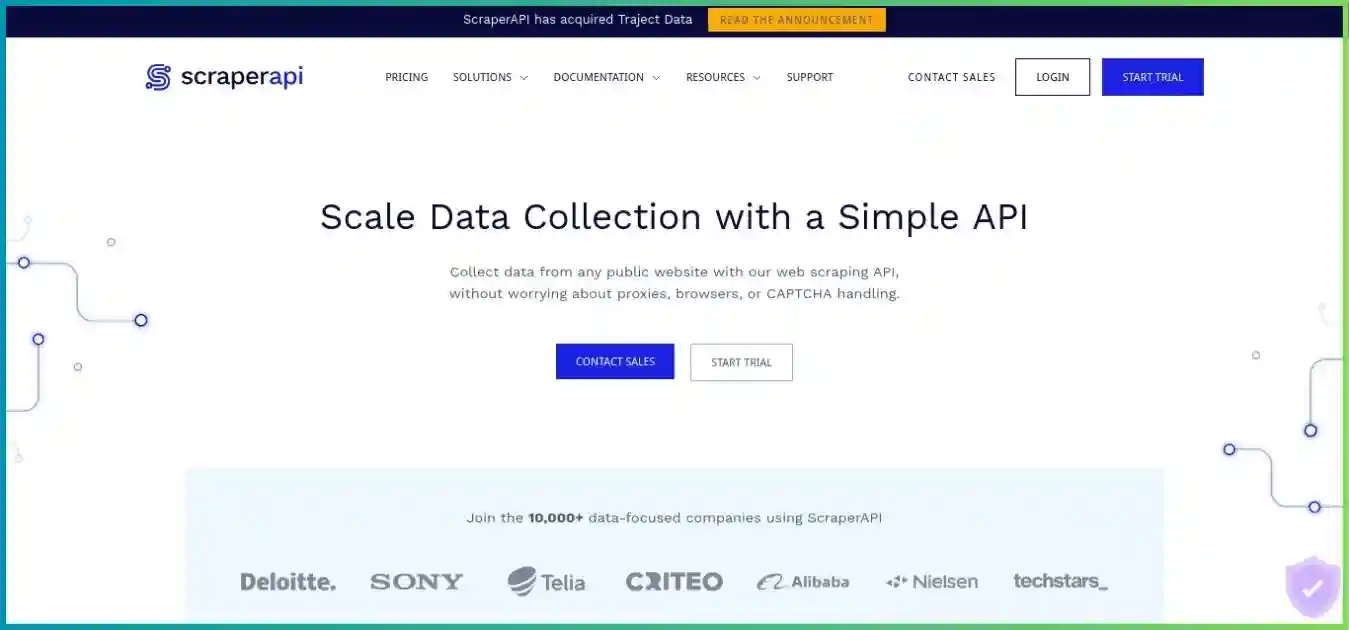
ScraperAPI manages proxy routing, retries, anti-bot handling and optional browser rendering. Its surrounding products help teams discover URLs, run recurring collections and receive results without building every component themselves. Compare the specific product’s pricing and output behavior; Core API, structured endpoints and DataPipeline are related services with distinct constraints.
ScrapingAnt
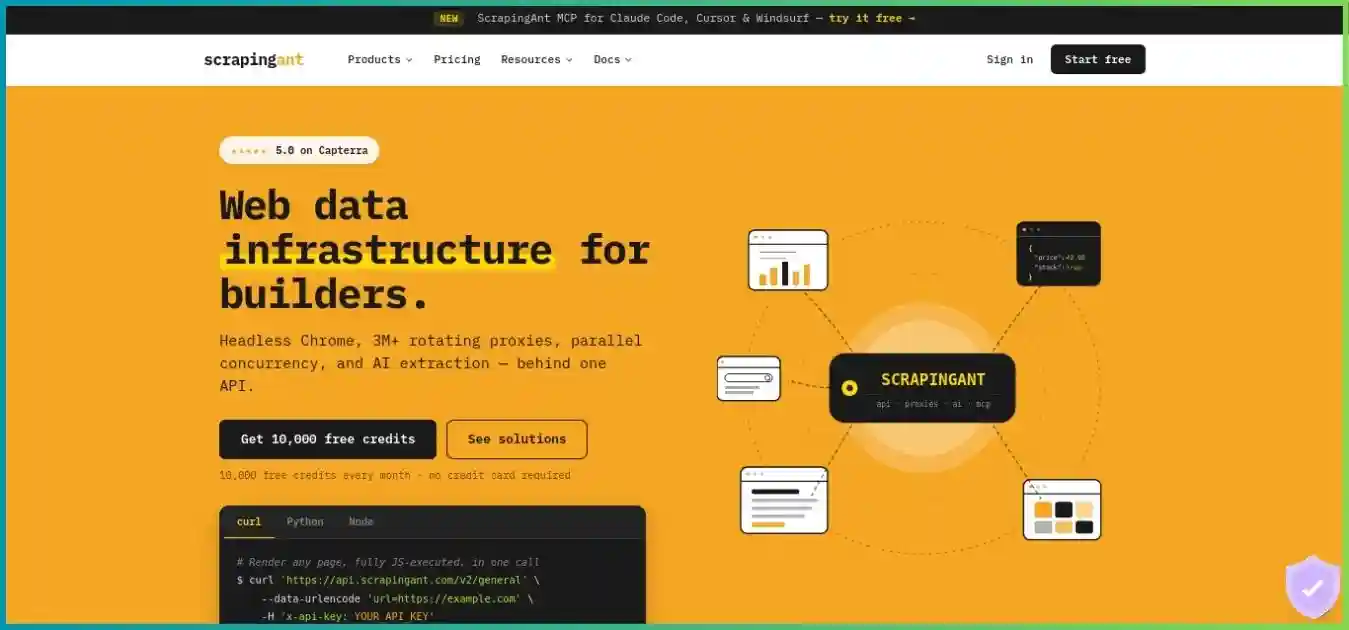
ScrapingAnt offers managed browser requests, HTML and Markdown retrieval, and a text-based AI extractor for custom JSON fields. It is attractive when your application already owns scheduling, validation and storage. Its separate standalone proxy products use bandwidth billing and should not be confused with the API credit subscription.
Pricing comparison: plans, free access and billing
Compare the subscription you will actually pay for with the modes you will actually run. A credit allowance can represent many basic pages or a much smaller number of browser-rendered residential responses. Tables below list public USD prices before tax, and annual equivalents are prepaid offers rather than month-to-month subscriptions.
ScraperAPI plans and limits
| Plan | Monthly | Credits | Main threads | Annual equivalent / mo | Geo / PAYG |
|---|---|---|---|---|---|
| Hobby | $49 | 100,000 | 20 | $44.10 | US/EU regions |
| Startup | $149 | 1,000,000 | 50 | $134.10 | US/EU regions |
| Business | $299 | 3,000,000 | 100 | $269.10 | Global |
| Scaling | $475 | 5,000,000 | 200 | $427.50 | Global; PAYG |
| Professional | $975 | 10,500,000* | 300 | $877.50 | Global; PAYG |
| Advanced | $1,975 | 21,500,000* | 500 | $1,777.50 | Global; PAYG |
| Enterprise | Custom | 22,000,000+ | 500+ | Custom | Negotiated; PAYG |
* Professional and Advanced show these credit totals alongside separate promotional bonus labels. Confirm final checkout allocation without adding the bonus twice. Enterprise terms are negotiated. Hobby and Startup list US/EU regions; Business and higher list global targeting.
ScrapingAnt plans and support
| Plan | Monthly | Monthly credits | Concurrency | Support / integration help |
|---|---|---|---|---|
| Free | $0 | 10,000 | 1 | Self-service testing |
| Enthusiast | $19 | 100,000 | No published paid cap | Email; documentation |
| Startup | $49 | 500,000 | No published paid cap | Priority email; custom code snippets |
| Business | $249 | 3,000,000 | No published paid cap | Debug sessions; custom pools; account manager |
| Business Pro | $599 | 8,000,000 | No published paid cap | Priority debug sessions; custom pools; account manager |
| Custom | $699+ | 10,000,000+ | Contract-specific | Dedicated support; enterprise onboarding |
ScrapingAnt’s Startup tier includes custom code snippets and expert assistance, while Business adds debug sessions, custom pools, anti-bot customization and an account manager. Business Pro lists priority debug sessions; Custom lists enterprise onboarding and dedicated support. These are published service descriptions, not verified response times or a guarantee that every target can be supported.
USD; shared $0–$300 scale. Credit allowances differ between these plans.
Monthly price / included credits × 1,000, at full utilization. Shared $0–$0.50 scale; credits are not equal request capacity.
Free plans and trial capacity
ScraperAPI’s billing documentation distinguishes an ongoing 1,000-credit monthly free plan from the advertised seven-day 5,000-credit introductory trial. Its free account allows five concurrent connections. ScrapingAnt advertises 10,000 credits every month with no credit card; its error reference restricts Free to one concurrent request, despite broader homepage claims of no cap on any plan. Serialize free testing and verify account-specific access.
At ordinary datacenter multipliers, ScrapingAnt’s free allowance supports a theoretical 10,000 unrendered fetches or 1,000 rendered fetches. Rendered residential mode reduces that to 80. ScraperAPI’s recurring free allowance supports 1,000 standard responses, 100 rendered responses or 40 ordinary premium-rendered responses. Introductory access and domain-specific charges can change these examples; inspect the signup balance before planning a pilot.
Annual billing, rollover and credit exhaustion
ScraperAPI’s advertised annual equivalents work out to $529.20 upfront for Hobby, $1,609.20 for Startup and $3,229.20 for Business. Compare those invoices with twelve monthly payments, and confirm whether credits are allocated annually or reset during the term. No numeric ScrapingAnt annual discount was verified from the public plan table, so this comparison does not invent an annual rate.
Both providers say unused subscription credits do not carry over to the next subscription period. ScraperAPI Hobby, Startup and Business users who exhaust credits need to upgrade or contact support; Scaling and higher tiers advertise PAYG with spending caps. ScrapingAnt says you can restart a paid plan mid-period for another payment and refresh credits immediately. Confirm what that restart does to renewal timing rather than treating it as free additional usage.
Cancellation and refunds
ScraperAPI advertises a seven-day no-questions refund, requested through support. Canceling automatic renewal is a separate action from obtaining a refund. ScrapingAnt’s terms describe recurring monthly billing, cancellation before the next period and non-refundable payments except discretionary exceptions. Its no-card free plan is useful for evaluation, but it is not a paid money-back guarantee. Check the current terms for the account and sales channel you choose.
Credit costs: when the cheaper plan changes places
On an ordinary domain, both providers list a simple datacenter request at one credit and browser-rendered datacenter retrieval at ten. ScrapingAnt’s residential multipliers are higher: 25 for a simple residential request and 125 with rendering. ScraperAPI’s ordinary premium modes are ten and 25 respectively. These are comparable billing categories, not proof of identical proxy routing, browser behavior or output quality.
Shared 0–125 credit scale. Blue: ScraperAPI; purple: ScrapingAnt. Special domains, protection surcharges and other products excluded.
| Mode | Credits: API / Ant | Entry responses: API / Ant | USD per 1K responses: API / Ant |
|---|---|---|---|
| Unrendered datacenter | 1 / 1 | 100,000 / 100,000 | $0.49 / $0.19 |
| Rendered datacenter | 10 / 10 | 10,000 / 10,000 | $4.90 / $1.90 |
| Unrendered residential | 10 / 25 | 10,000 / 4,000 | $4.90 / $4.75 |
| Rendered residential | 25 / 125 | 4,000 / 800 | $12.25 / $23.75 |
| Ultra Premium + rendered | 75 / no directly equivalent mode | 1,333 whole / not comparable | $36.75 / not comparable |
For a fully used entry allocation, ScrapingAnt is cheaper for unrendered and rendered datacenter responses. Ordinary unrendered residential costs are close: $4.75 versus $4.90 per 1,000 theoretical responses. In rendered residential mode, ScraperAPI’s $12.25 compares with ScrapingAnt’s $23.75. Subscription price alone therefore gives an incomplete answer.
Browser defaults and page-source modes
ScrapingAnt enables the browser by default. To obtain its one-credit datacenter mode, disable browser usage explicitly; merely sending a URL ordinarily invokes the ten-credit rendered mode. Its return_page_source=true option in browser mode skips JavaScript execution but still uses the browser: that costs two datacenter credits or 50 residential credits. It is not the same as a one-credit direct fetch.
ScraperAPI rendering is opt-in through render. Enable it when the data you need is missing from the unrendered response. Run this check per target template instead of rendering every URL automatically. Compare content completeness after changing modes; cheaper retrieval that removes a required product field can increase cost per usable record.
Domain-specific and product-specific pricing
ScraperAPI’s current Core reference lists Amazon, Walmart and eBay ecommerce examples at five base credits, Google/Bing SERPs at 25 and LinkedIn at 30. Anti-bot protection and requested modes can change charges. ScrapingAnt lists any Google-domain request through datacenter routing at ten credits. Treat these references as starting points: confirm the URL, endpoint and actual credit metadata before extrapolating to a million requests.
ScraperAPI exposes a domain-cost estimator, a max_cost control and the sa-credit-cost response header. ScrapingAnt reports consumption through Ant-credits-cost and provides a usage endpoint for balance and plan dates. Record the final charged amount in your pilot. Do not add every mode multiplier together when the documentation defines a combined mode total.
A mixed-workload budget example
| Batch component | Billable responses | ScraperAPI credits | ScrapingAnt credits |
|---|---|---|---|
| Unrendered datacenter | 5,000 | 5,000 | 5,000 |
| Rendered datacenter | 500 | 5,000 | 5,000 |
| Rendered residential | 40 | 1,000 | 5,000 |
| Total | 5,540 | 11,000 | 15,000 |
At full entry-allocation utilization, those credits allocate $5.39 of ScraperAPI Hobby and $2.85 of ScrapingAnt Enthusiast. If that is the only batch you run all month, actual subscription spend remains $49 and $19. If your mix shifts heavily toward rendered residential pages, recalculate rather than carrying forward the same “cheaper provider” label.
Feature analysis: browser control, parsing and workflows
| Capability | ScraperAPI | ScrapingAnt |
|---|---|---|
| Browser rendering | Optional rendering, selector waits, screenshot mode | Default managed Chrome; selector waits, custom JS, resource blocking |
| Request customization | Headers, user agents and session options | Headers, cookies, methods and JS snippets |
| Structured extraction | Supported structured endpoints and autoparse; AI Parser listed separately | Prompt-described extract_properties to JSON; custom parser also possible |
| Markdown | Check chosen endpoint/parser output support | Dedicated /v2/markdown endpoint |
| Async jobs | Documented Async API and structured job support | No equivalent native async job service verified; build a client queue |
| Crawling and discovery | Crawler with discovery, deduplication, depth and budget controls | Application or custom engagement supplies discovery |
| Recurring schedules | DataPipeline scheduling and delivery | External workflow or application scheduling |
| Automation integrations | SDKs, MCP, n8n and other documented integrations | MCP, Make custom app, n8n community node, GitHub Action and clients |
| Proxy-mode integration | Proxy port supported | API-backed proxy mode; same credit model and TLS caveat |
Dynamic pages, waits and custom JavaScript
Both providers help retrieve pages that populate content after initial HTML delivery. ScrapingAnt documents selector waits and base64-encoded JavaScript snippets, while ScraperAPI documents wait_for_selector with rendering and screenshot options. Match the wait condition to a meaningful data element, not simply a page load event. A navigation can finish before the price, stock status or results list is ready.
Resource blocking can save work but also remove a script, stylesheet-dependent interaction or network call needed by your parser. Test the effect on complete records before enabling it across the crawl. The providers’ managed rendering should also be distinguished from running your own browser through a proxy: avoid paying for a second rendering step without a specific reason.
Structured APIs versus custom parsing
ScraperAPI’s structured endpoints support documented targets such as Amazon, Google, Walmart, eBay and Redfin use cases. That can simplify recurring extraction when the supplied schema matches your application. Its autoparse scope is also target-specific; arbitrary websites do not automatically become reliable product JSON. Verify pagination, variations, sponsored results and currency in sample output.
ScrapingAnt’s general endpoint supplies content for your parser, while its AI extractor can produce fields described in natural language. For stable templates and strict data contracts, a deterministic parser may be cheaper and easier to test than prompt-based extraction. For varied page structures or exploratory datasets, its AI route can reduce setup work but adds content-size charges and validation requirements.
Geotargeting and sessions
ScraperAPI Hobby and Startup list US/EU regional targeting; Business and above list global targeting. ScrapingAnt’s API documentation enumerates 24 selectable country codes. Its standalone residential proxy product’s 100+ country advertising refers to a separate product and must not be used as the API country count. Verify your exact country and returned locale before making a regional collection commitment.
ScraperAPI documents restrictions on combining session_number with premium routing. ScrapingAnt documents a new IP for each API request; standalone sticky-session proxy features should not be assumed to carry over unchanged to API fetching. A mobile user agent is also different from a carrier IP: ScrapingAnt’s API proxy reference says mobile-pool access is by request.
Scheduling, async jobs and durable results
ScraperAPI’s packaged workflow suite is the stronger documented fit when you need URL discovery followed by recurring collection. DataPipeline supports recurring schedules, webhook delivery and documented input routes of up to 100,000 items via CSV or 500 directly pasted. Supported structured sources can provide JSON/CSV, while arbitrary HTML results can be wrapped in JSONL. Its documented retention is up to 30 days, so move important outputs into your own storage.
ScrapingAnt’s Make, n8n and GitHub Action integrations can form part of a scheduled pipeline, but that is different from a verified native API scheduler or durable dataset store. Confirm community-node availability on your n8n deployment and the custom-app invitation route for Make. To compare a full hosted workflow platform, see ScraperAPI vs Apify and ScrapingAnt vs Apify.
AI extraction: flexible fields with a separate cost model
ScrapingAnt’s /v2/extract accepts extract_properties descriptions for the fields you want, including typed values and nested lists. Its documentation describes camelCase naming and null values where data cannot be found. Specify what counts as missing and validate the returned schema instead of assuming that every response has complete, correctly typed fields.
The extractor works from the page’s Markdown/text representation, not CSS styles or raw layout tags. Asking for a value based only on visual styling may therefore fail if that meaning is absent from the text. Validate currency, units, variant selection and source evidence, and keep a sample of original content for diagnosing incorrect extraction.
Documented ScrapingAnt AI formula
ceil((Markdown input characters + output characters) / 30) + retrieval credits
The input measure is the Markdown actually processed, not raw HTML size or token count. Browser and proxy choices still determine the underlying retrieval cost.
Fixed 600 output characters and a 10-credit rendered datacenter fetch. This is formula arithmetic, not measured page sizes or a performance benchmark.
| Markdown input characters | AI text credits | Total credits | Theoretical requests / 100K |
|---|---|---|---|
| 3,000 | 120 | 130 | 769 |
| 9,000 | 320 | 330 | 303 |
| 18,000 | 620 | 630 | 158 |
| 30,000 | 1,020 | 1,030 | 97 |
For the 9,000-character example, the total 330 credits allocate $0.0627 per request on a fully used Enthusiast plan. That is much higher than the $0.0019 allocated cost of a plain ten-credit rendered datacenter response, because it includes AI processing. The tradeoff may still be worthwhile if it replaces substantial parser development, but measure extraction accuracy and engineering savings.
ScraperAPI also lists an AI Parser in its current product documentation. This comparison does not assume it shares ScrapingAnt’s character formula or price. Check its access, pricing and output contract separately. For supported structured targets, compare the standard structured endpoint first; adding an AI step is useful only when it provides fields or flexibility you actually need.
Performance and reliability: a fair comparison method
A published uptime promise, an anti-bot avoidance claim and a percentage of accepted data records describe different things. ScraperAPI’s advertised 99.9% uptime guarantee concerns service availability; it does not establish a 99.9% target-data success rate. We did not verify a comparable ScrapingAnt SLA or measure either provider’s uptime, so no uptime or target-success ranking is presented.
Concurrency is not throughput
ScraperAPI publishes explicit simultaneous thread limits and says excess requests receive HTTP 429 rather than being queued or charged for an additional slot. ScrapingAnt’s current error reference says paid plans have no concurrency limit, while Free allows one request and returns 409 when that limit is exceeded. Its homepage’s broader no-cap language differs from that free-plan rule.
No published paid cap does not mean infinite throughput or a guaranteed completion time. Response latency, render complexity, target rate limits, proxy availability and your client’s resources still constrain production output. Use a bounded queue, increase concurrency gradually and watch accepted records per minute alongside cost. A rough concurrency divided by latency estimate is useful for planning, but it is not a measured provider result.
Pilot checklist and metrics
Choose a representative sample
Use identical targets, page templates, countries, pagination and freshness rules. Include difficult pages, missing pages and dynamic content.
Compare modes separately
Run simple datacenter, rendered datacenter and residential configurations independently. Record browser defaults, domain surcharges and actual credit headers.
Control execution conditions
Use comparable client region, timeout, concurrency and test windows. Randomize provider order, include retries and report p50/p95 completion time.
Validate accepted records
Check required fields, source locale, currency, duplicates and freshness. An HTTP 200 alone is not a usable product or search result.
Reconcile the full cost
Report charged credits, monthly utilization, accepted records, parser work, storage and engineering time. Track support interventions separately.
Hypothetical 1,000 billable rendered datacenter responses. This is not either provider’s measured success rate.
- Accepted: 800 (80%)
- Incomplete: 150 (15%)
- Duplicates: 50 (5%)
Calculate cost per accepted record
The illustrative batch spends 10,000 credits on either ordinary rendered datacenter mode. At full entry-allocation use, allocated spend is $4.90 for ScraperAPI and $1.90 for ScrapingAnt.
Dividing by 800 accepted records gives $0.006125 and $0.002375 respectively. If this is the only monthly usage, actual subscriptions cost $49 and $19: $0.06125 and $0.02375 per accepted record.
Equal acceptance is an assumption for this example. Add engineering and storage costs, and replace the assumed 800 records with your pilot’s validated count.
Failed requests and retries
ScraperAPI documents charges for 200 and 404 responses, and certain client cancellations when the service was not allowed its recommended 70 seconds to finish. ScrapingAnt says failed/error requests cost zero, but a successful retrieval rejected by your parser is not automatically a billing reversal. Distinguish provider errors, target responses and data-quality failures in your logs.
Retry transient failures with bounded backoff and investigate persistent validation, authentication or blocked-content errors. The MDN explanation of HTTP 429 describes rate limiting and the optional Retry-After header. ScrapingAnt’s documented Free concurrency error is 409, so retry logic should inspect the provider’s status and message rather than handle only one shared status code.
Integration, debugging and data handling
Start with explicit configuration
Keep credentials in server-side environment variables and encode target URLs and extraction settings with a URL-encoding library. ScrapingAnt accepts the x-api-key header, avoiding a key in the query string. ScraperAPI integrations commonly pass an API key parameter, so redact credential-bearing URLs from logs. Set rendering, proxy type and country explicitly to make runs reproducible.
ScrapingAnt documents a default 60-second service timeout with a five-to-60-second range. ScraperAPI recommends allowing 70 seconds for completion. Configure the outer client deadline to allow the service to finish and the response to arrive, then bound the entire job separately. Canceling early can distort performance measurements and, on ScraperAPI, affect billing.
Inspect output and credit metadata
Check content type before choosing an HTML or JSON parser. ScrapingAnt’s Markdown route returns JSON containing the URL and Markdown, while its extended response wraps content and browser metadata. ScraperAPI’s structured endpoints and DataPipeline exports have their own schemas and wrappers. Store a small sanitized sample when changing endpoints; otherwise a parser expecting HTML can silently process the wrong format.
Log status, endpoint, target template, selected country, rendering mode, credit consumption and acceptance outcome. Avoid logging full cookies or private page content unnecessarily. Reconcile sample charges with your balance so unexpected defaults or content-size charges are discovered before scaling. For AI extraction, enforce a schema and validate required fields rather than trusting every JSON value.
REST, proxy mode and automation tools
Direct HTTPS API calls are a straightforward starting point for both services. ScrapingAnt’s proxy mode fronts the same scraping API and spends the same credits, but its documentation instructs clients to disable SSL verification. Review that integration requirement before deployment; do not make blanket certificate-verification changes throughout your application. A standalone proxy subscription is a separate purchase and cost model.
ScrapingAnt’s MCP server exposes HTML, Markdown and text retrieval tools using the same subscription credits. Its browser defaults still matter for costs. Make, n8n and GitHub Actions can orchestrate repeat jobs, but you still need your own durable storage and failure recovery. ScraperAPI also documents MCP and automation integrations, so choose an integration on the behavior and access you verified, not simply whether an acronym appears in a feature list.
Permissions and data retention
Align collection with target permissions, applicable terms, privacy requirements and appropriate crawl rates. The Robots Exclusion Protocol specification, RFC 9309 defines how crawlers interpret robots.txt; it is not access authorization. Anti-bot handling is a technical retrieval capability, not permission to collect every accessible dataset.
For sensitive workloads, confirm contractual data processing, logs, response retention and deletion with the provider. This comparison is not a security or proxy-sourcing audit. Export important results to storage you control, restrict access to API keys and datasets, and choose a retention period appropriate to your project rather than relying on an endpoint’s temporary results.
Best use cases: choose by your actual workload
Small datacenter scraper
Start with ScrapingAnt
The $19 entry plan provides 100K credits, with favorable ordinary datacenter costs. Disable browser usage for truly static pages and validate completeness.
Rendered residential collection
Shortlist ScraperAPI
Its ordinary premium-rendered credit cost is lower. Pilot target acceptance and locale before assuming that billing categories produce equivalent results.
Custom AI fields or LLM ingestion
Evaluate ScrapingAnt extraction
Markdown and prompt-described JSON can reduce parser setup. Budget character-based extraction charges and check output quality; compare ScraperAPI AI Parser separately.
Recurring discovery and delivery
Shortlist ScraperAPI workflows
Crawler discovery, async jobs and DataPipeline schedules can replace custom orchestration. Check product-specific costs, wrappers and result retention.
Ecommerce and SERP monitoring
For a supported ecommerce or search source, ScraperAPI’s structured endpoint can be useful when it delivers the variants, pagination and fields your downstream system requires. ScrapingAnt can retrieve the page or use AI extraction for a custom schema. Compare the same locale, currency, availability and sponsored-result handling; a smaller invoice is not useful if the parser loses the field you monitor.
High-volume teams and enterprise accounts
ScraperAPI offers explicit thread limits, higher-tier PAYG and a packaged workflow suite. ScrapingAnt offers no published numeric paid concurrency cap and support tiers with custom pools and anti-bot work. Ask for target-specific support scope, incident escalation, throughput expectations and a cost estimate. Neither public table proves superior enterprise reliability.
If a desktop extraction builder fits your team better than maintaining a parser, read ScraperAPI vs Octoparse and ScrapingAnt vs Octoparse. For another managed API with a different credit model, ScraperAPI vs Scrape.do compares its rendering, structured APIs and async options.
Detailed pros and cons
ScraperAPI
Advantages
- Lower ordinary premium-rendered multiplier than ScrapingAnt
- Supported structured endpoints and crawler discovery
- Async jobs and scheduled DataPipeline delivery
- URL-cost estimator, per-request cap and higher-tier PAYG
Tradeoffs
- Higher monthly entry price
- Smaller recurring free allowance
- Entry tiers restrict geo access to US/EU regions
- Different workflow products have different cost tables
ScrapingAnt
Advantages
- Lower paid entry and 10K recurring free credits
- Competitive ordinary datacenter request economics
- Managed Chrome controls and flexible AI extraction
- No published numeric paid concurrency cap
Tradeoffs
- 125-credit rendered residential mode
- Browser default can surprise users expecting one-credit calls
- AI charges grow with input and output text
- Free allows one concurrent request; schedules/storage require planning
Final verdict: price the mode, then test the data
ScrapingAnt is the more accessible starting point for ordinary datacenter scraping and exploratory extraction. Its lower paid entry, recurring free allowance and browser/Markdown/AI tools suit developer-owned pipelines. Explicitly configure browser mode and count character-based charges when using AI extraction.
ScraperAPI deserves priority when residential rendering or packaged workflows dominate. Its ordinary premium-rendered credit economics, structured endpoints, crawler and scheduling tools can justify the higher entry commitment. Use the correct product estimator and verify target coverage rather than assuming every endpoint uses the same price.
Choose using total monthly spend per validated record, including engineering work. Start with a representative pilot, inspect credit headers, confirm country access and billing conditions, then buy the smallest plan that supports the proven workload. Neither the largest proxy count nor the lowest subscription price is enough on its own.
Frequently asked questions
How we compared these providers
We reviewed public pricing, API credit tables, browser and extraction documentation, concurrency/error references, workflow guides and subscription terms on October 5, 2026. Charts use published figures, formula calculations or explicitly hypothetical acceptance examples. Homepage screenshots are illustrative. We did not purchase plans, verify paid checkout, test authenticated dashboards, audit proxy sourcing or measure speed and target success. Recommendations focus on workload fit, transparent billing and integration effort; prices and features can change.
Test the pages you actually need
Compare accepted records, actual charged credits and engineering effort before committing to a recurring plan.